Why Space Icons Matter for AI and Technology Projects
Space-themed icons have become increasingly relevant in modern web and design, particularly for AI companies, technology platforms, and businesses positioning themselves at the frontier of innovation. This guide explores a free icon set offering 40 space-themed icons, examines the technical formats available, and provides practical guidance for integrating these visual assets into your projects.
Whether you're building a chatbot interface, an AI dashboard, or a technology-focused website, understanding how to effectively leverage icon resources can significantly impact your project's visual consistency and development efficiency. For teams implementing comprehensive visual design systems, our web development services help ensure cohesive brand presentation across all touchpoints.
This resource from Iconshock delivers professional-quality icons that help technology brands communicate innovation and forward-thinking positioning. The space metaphor resonates strongly with AI companies because both represent exploration into the unknown, pushing boundaries, and discovering new possibilities.
Understanding Icon Formats: AI, PNG, and SVG
The icon set comes in three distinct formats, each serving different purposes in your design and development workflow. Understanding these formats helps you choose the right tool for each task.
Adobe Illustrator (AI) Format
The native AI format preserves full editability in Adobe Illustrator. Use this format when you need to customize icons for your brand--changing colors, adjusting stroke weights, or combining elements with other design assets. This format is ideal for designers who need to maintain complete control over the visual presentation.
PNG (Portable Network Graphics)
PNG provides raster-based images with built-in transparency support. This format works reliably across all browsers and platforms without rendering issues. PNG is ideal for quick prototyping, email graphics, and situations where vector support is uncertain. The format handles complex gradients and textures that may not convert cleanly to vector paths.
SVG (Scalable Vector Graphics)
SVG has become the standard for web icon implementation. These vector files scale infinitely without quality loss, can be styled with CSS, and support animations. For production web projects, SVG delivers the best combination of quality and performance. According to Vektorly's icon format comparison, SVG files typically outperform PNG equivalents in both file size and flexibility.
The choice between formats depends on your specific use case. For development teams building modern web applications, SVG should be the default choice. For design teams requiring extensive customization, the AI format provides the necessary flexibility. PNG serves as a reliable fallback for legacy support and specific visual requirements.
The Case for SVG in Modern Web Development
SVG has transformed how we implement icons in web projects. Understanding its advantages helps you make informed decisions about icon format selection.
Infinite Scalability
SVG graphics maintain perfect clarity at any size--from favicon dimensions to billboard proportions. This eliminates the need for multiple resolution variants and ensures crisp rendering on high-DPI displays including Retina screens. For responsive designs that adapt across devices, SVG provides consistent visual quality without artifacts or blurriness.
CSS Styling and Animation
Because SVG is XML-based code, you can control fill colors, stroke widths, hover effects, and animations entirely through CSS. This enables dynamic theme switching, interactive states, and performance-optimized animations without JavaScript. Modern design systems leverage this capability to create cohesive visual experiences that respond to user interaction.
Performance Benefits
For simple UI icons, SVG files typically outperform PNG equivalents. Inline SVG eliminates HTTP requests, and GZIP compression reduces transfer sizes significantly. Pages using inline SVG consistently show improved Largest Contentful Paint times. When combined with proper caching strategies, SVG-based icon systems can reduce page weight by eliminating the need for multiple resolution variants.
Reduced Asset Management
One SVG replaces multiple PNG files at different resolutions. This simplifies asset management, reduces storage requirements, and eliminates resolution-related bugs. Development teams spend less time maintaining icon assets and more time building features that differentiate their products.
Key advantages for modern web development
Infinite Scaling
Maintain perfect clarity at any size without pixelation or quality loss
CSS Control
Style icons dynamically with CSS--colors, hover states, and animations
Smaller File Sizes
Optimized SVG files are typically smaller than high-resolution PNG equivalents
Inline Support
Embed directly in HTML to eliminate HTTP requests and improve performance
The Iconshock Space Icon Set: What's Included
This free icon collection from Iconshock features 40 meticulously designed space-themed icons, perfect for AI interfaces, technology companies, and innovation-focused projects. Published through Smashing Magazine's space icon announcement, this set has become a go-to resource for designers building futuristic interfaces.
The icons are designed with consistent visual characteristics--similar stroke weights, balanced proportions, and a cohesive style that ensures they work well together in any composition. This consistency is crucial for maintaining visual harmony in user interfaces where multiple icons appear in close proximity.
For AI companies specifically, these icons provide ready-made visual metaphors that align with innovation messaging. The space theme naturally evokes concepts of exploration, intelligence, and pushing boundaries--exactly the associations technology brands want to cultivate. When implementing these icons as part of a broader AI and automation strategy, visual consistency reinforces your positioning as an innovative technology leader.
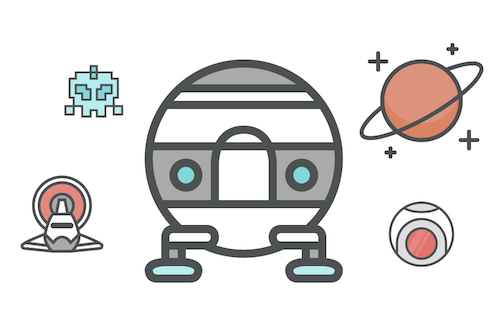

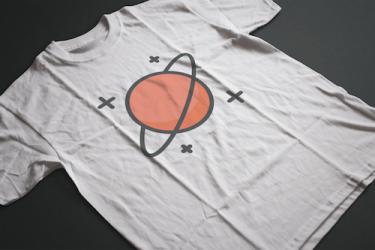
Comprehensive coverage for space-themed design needs
Spacecraft & Rockets
Launch vehicles, rockets, and space exploration vehicles
Celestial Bodies
Planets, moons, stars, and solar system elements
Space Technology
Satellites, space stations, and scientific instruments
Alien & UFO Themes
Extraterrestrial motifs and sci-fi elements
Astronomical Symbols
Constellations, zodiac signs, and cosmic symbols
Equipment & Tools
Space suits, helmets, and exploration gear
Licensing and Attribution Requirements
This icon set is licensed under Creative Commons Attribution 3.0 (CC BY 3.0). Understanding these terms ensures legal compliance while maximizing the value you get from this resource. As noted in Smashing Magazine's original announcement, this license provides generous terms for both personal and commercial use.
What You're Allowed to Do
- Personal and commercial use -- Incorporate icons into client projects, products, and marketing materials without additional licensing fees
- Modification -- Change icon sizes, colors, and shapes to match your design requirements
- No attribution required -- While not mandatory, crediting Iconshock and Smashing Magazine is appreciated and helps support the free resource ecosystem
What You Cannot Do
- Reselling -- You cannot resell the bundled set or individual icons as-is
- Redistribution without credit -- If spreading the icon set in articles or blog posts, provide credits and link to the original release
The license makes this icon set suitable for most business needs while protecting the creators' interests. For teams building products that require more restrictive licensing or exclusive rights, Iconshock offers commercial license options that provide additional protections.
Practical Integration Patterns for Web Projects
Successfully integrating icons into your project requires understanding both technical implementation and design system considerations. These patterns help teams adopt the space icon set efficiently while maintaining code quality.
SVG Implementation Best Practices
Inline SVG in HTML Embed SVG code directly in your markup for maximum performance. This approach eliminates HTTP requests and enables CSS styling:
<svg xmlns="http://www.w3.org/2000/svg" viewBox="0 0 24 24" width="24" height="24">
 <path fill="currentColor" d="M12 2L2 12h3v8h14v-8h3L12 2z"/>
</svg>
SVG Sprites
For projects with many icons, use SVG sprites to combine all icons into a single file and reference them with <use> elements. This reduces HTTP requests while maintaining individual icon control:
<svg class="icon" viewBox="0 0 24 24">
 <use href="/icons/sprite.svg#rocket"></use>
</svg>
CSS Styling Take advantage of CSS custom properties for consistent theming:
.icon { width: 24px; height: 24px; color: var(--icon-color, #333); }
.icon:hover { color: var(--icon-hover, #0066cc); }
PNG Implementation Strategies
Responsive Images with srcset Serve appropriately sized images for different screen densities:
<img src="icon-24.png"
 srcset="icon-24.png 1x, icon-48.png 2x, icon-72.png 3x"
 alt="Space icon">
When to Use PNG
- Legacy browser support requirements where SVG may have inconsistent rendering
- Complex icons that don't convert cleanly to vector without visual degradation
- Quick prototyping iterations where design changes are frequent
- Email and newsletter graphics where HTML/CSS support is limited
Design System Integration
For teams implementing these icons within broader design systems, establish clear guidelines around icon usage. Define standard sizes that align with your typography scale, create component patterns that ensure consistent spacing, and document accessibility requirements for each icon type. Our web development services can help teams build scalable icon systems that grow with their products. Additionally, aligning icon usage with your overall SEO strategy ensures visual assets contribute to discoverability and user experience metrics.
Use Cases for Space-Themed Icons in AI and Technology Projects
Space icons provide powerful visual metaphors for AI and technology brands. Here are practical applications where these icons deliver impact across different project types.
AI Chatbot and Assistant Interfaces
Artificial intelligence products benefit from space iconography that reinforces intelligence and exploration themes. Common applications include:
- Processing indicators -- Rocket icons for loading states convey forward momentum and computation in progress
- Feature highlights -- Planet icons for knowledge base or training data features
- Category navigation -- Celestial groupings for different skill areas or knowledge domains
- Status communication -- Satellite icons for connected, synced, or online states
Technology Company Branding
SaaS companies and technology firms use space icons to communicate innovation, future-readiness, and cutting-edge capabilities. The visual language signals that your organization pushes boundaries and explores new territories.
- Service page icons -- Illustrate AI, automation, and technology capabilities with relevant imagery
- Blog and content graphics -- Enhance articles about space tech, AI advancement, and innovation
- Product feature illustrations -- Visual aids that make complex features more approachable
Data Visualization and Dashboards
Analytics platforms and monitoring tools leverage space iconography for status indicators and metric representations. These icons help users quickly understand system state and navigate complex data interfaces.
- Milestone indicators -- Achievement icons for progress tracking and goal completion
- System status -- Reliability and uptime indicators using satellite or antenna motifs
- Navigation icons -- Dashboard section markers that maintain visual consistency
- Growth visualization -- Ascending elements for metrics displays and trend indicators
Design System Integration
Build consistent icon libraries by establishing clear standards:
- Standardize stroke weights and sizes across all icons
- Create color palettes that match your brand theme
- Establish spacing and padding conventions for different contexts
- Document usage guidelines for your development team
For organizations building comprehensive AI solutions, these icons integrate seamlessly with broader AI and automation services that deliver measurable business results.
AI Interfaces
Chatbots, assistants, and conversational AI platforms benefit from space icon metaphors that reinforce intelligence and innovation.
Tech Websites
SaaS companies and technology firms use space icons to communicate innovation, future-readiness, and cutting-edge capabilities.
Data Dashboards
Analytics platforms and monitoring tools leverage space iconography for status indicators and metric representations.
Marketing Materials
Campaign graphics, presentations, and promotional content use space themes to create memorable visual impact.
Performance Considerations for Icon Implementation
Icon performance directly impacts page load times and user experience. Optimize your implementation for maximum efficiency to ensure icons enhance rather than hinder your product's performance.
Optimizing SVG for Web Performance
Use SVG Optimization Tools Tools like SVGOMG remove unnecessary metadata, simplify paths, and reduce file sizes without affecting visual quality. A well-optimized SVG can be 50-80% smaller than the original export from design software.
Implement GZIP Compression Configure your server to compress SVG files. Text-based SVG compresses exceptionally well, often reducing file sizes by 60-70%. Most CDNs and hosting platforms handle this automatically.
Leverage Browser Caching Set appropriate cache headers for icon assets. Static icons rarely change and benefit from long cache durations, reducing repeat visit latency.
Managing PNG File Sizes
Select Appropriate Resolutions Only serve icons at the size they're displayed. A 24px icon doesn't need a 512px source file--serving oversized images wastes bandwidth and CPU cycles.
Use Modern Compression Tools like TinyPNG and ImageOptim apply advanced compression while maintaining visual quality. These tools can reduce PNG file sizes by 30-70% without perceptible quality loss.
Consider WebP Alternatives For projects supporting modern browsers, WebP often delivers 25-35% smaller files than equivalent PNGs while maintaining transparency support.
Measuring Impact
Track these metrics to understand icon performance in your context:
- Largest Contentful Paint -- Icons above the fold affect LCP timing and perceived load speed
- Total blocking time -- Large icon files can delay interactivity and harm user experience
- Bandwidth usage -- Icon transfer sizes accumulate across pages and sessions
- HTTP requests -- Each icon file requires a separate request, adding latency
Regular performance audits help identify icon-related bottlenecks before they impact user experience. Our performance optimization services can help teams systematically improve icon and overall page performance.
Icon Optimization Impact
80%
Size reduction with SVG optimization
70%
GZIP compression ratio for SVG
35%
WebP vs PNG file size improvement
1
HTTP request with SVG sprites
Frequently Asked Questions
Sources
- Smashing Magazine - 40 Otherworldly Space Icons Freebie - Original source of the icon set, published by Iconshock
- Iconshock Official Website - Design studio behind the icon set, offers additional commercial icon resources
- Vektorly - PNG vs SVG for Icons Guide - Technical comparison of vector vs raster formats for web icons
- Creative Commons - Attribution 3.0 License - Official license terms for the icon set